Be in the kitchen when you can't be.
CareBoard is a 15-inch screen for your parent's counter. You send a message, a photo, or a reminder from your phone; it just appears, big and readable. They tap one button to answer. No subscription, no account, nothing for them to learn.
$299shipping included
Your card is charged only when your CareBoard ships. 30-day returns.
First run ships mid-November.
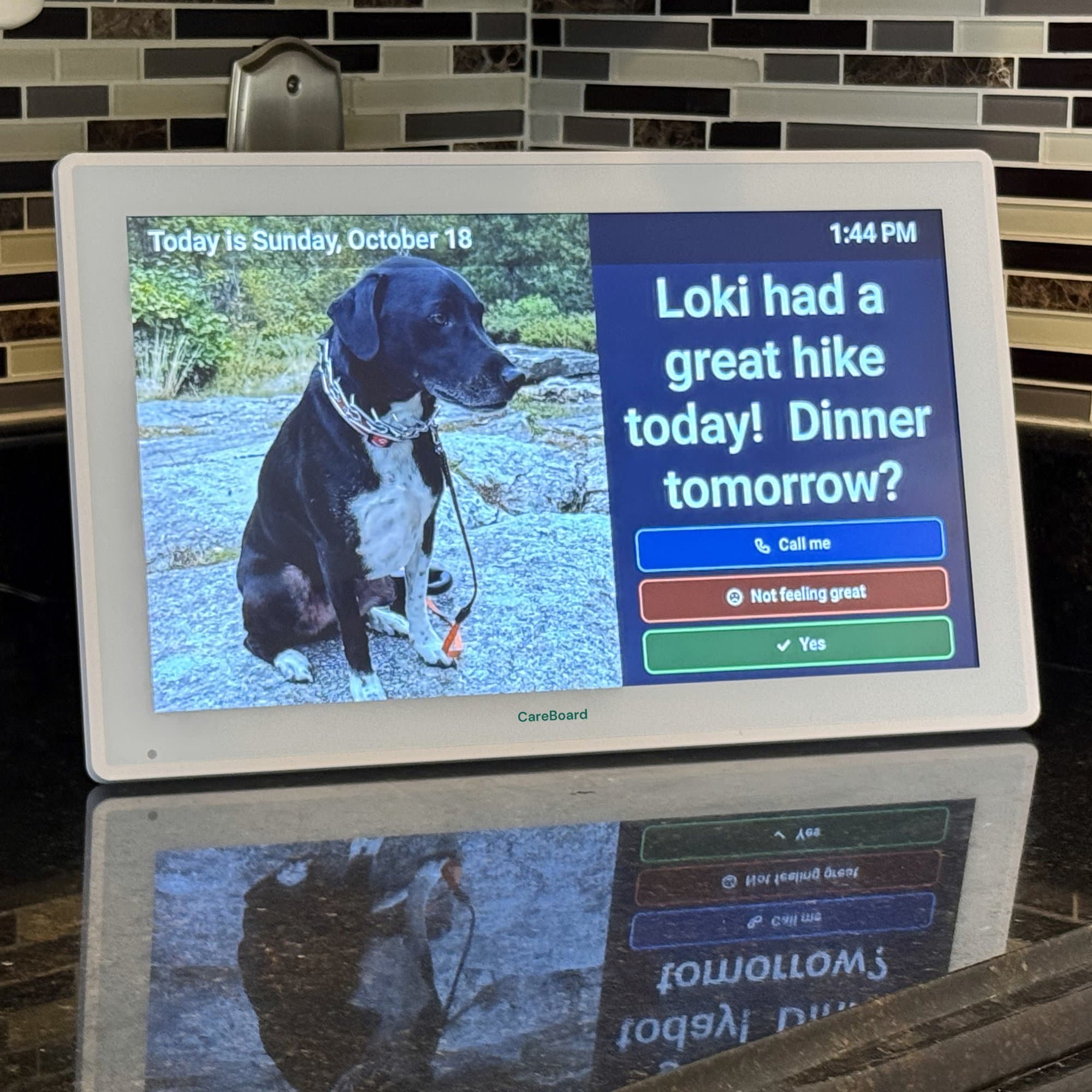
CareBoard on a kitchen counter.
What it does
It just appears
Type a message or pick a photo on your phone. Seconds later it’s on the counter, big enough to read from across the kitchen.
One tap to answer
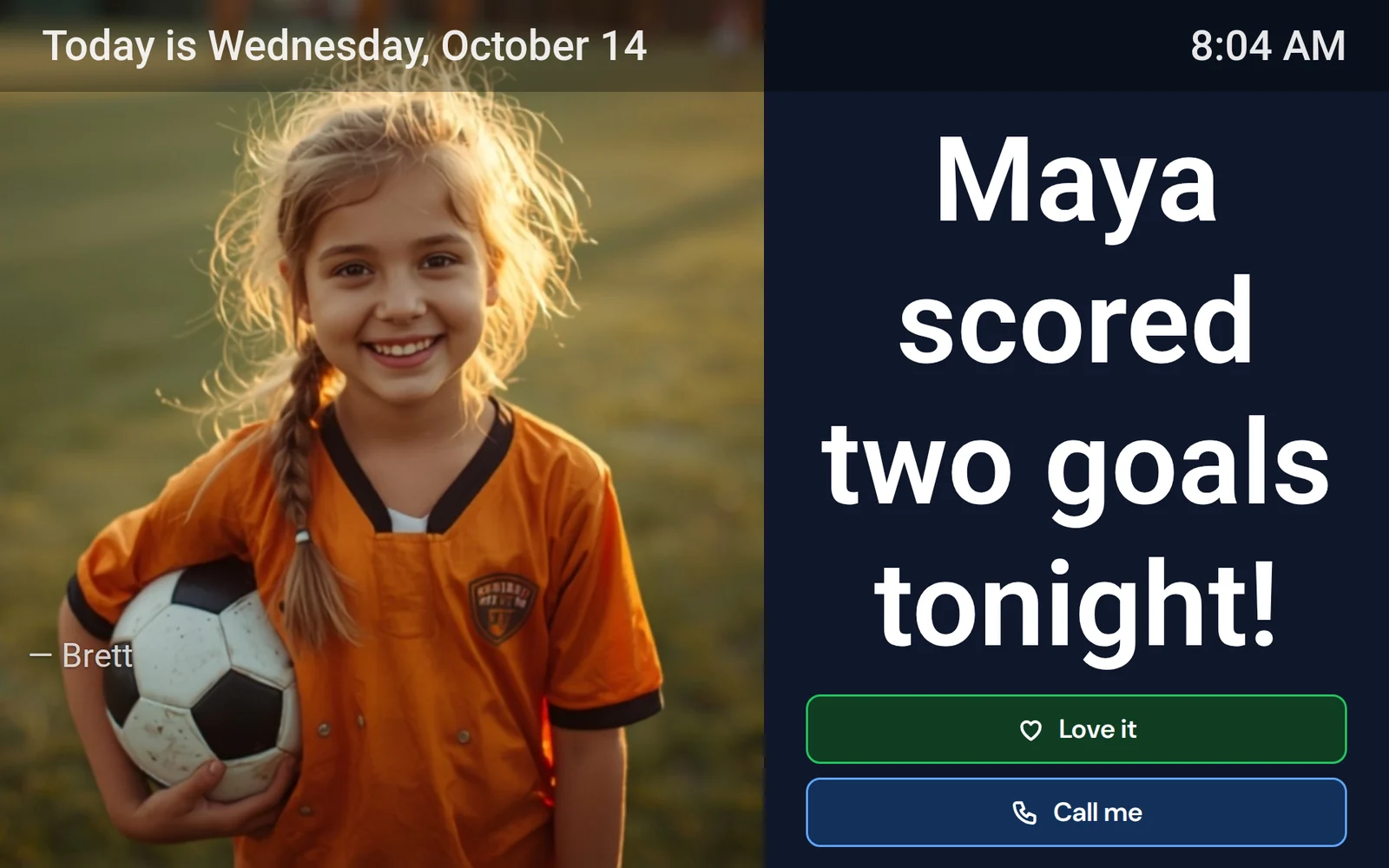
Got it, Love it, or Call me. You see the reply in the app the moment they tap.
Asks how they’re feeling every morning
Good, Okay, or Not great. A “Not great” reaches you right away.
A clock and the grandkids when there’s nothing new
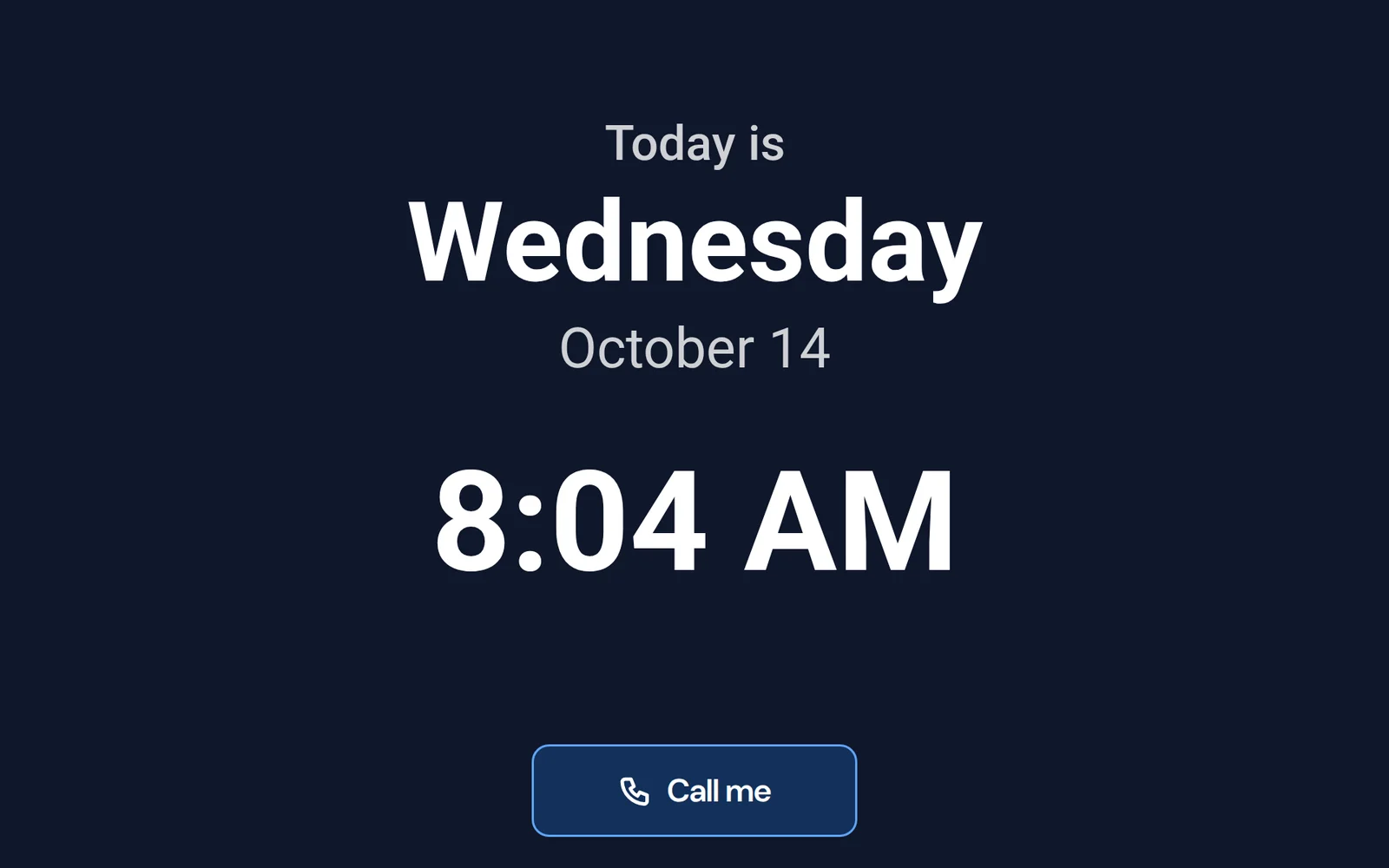
Between messages it shows the day, the date, and family photos.
Everyone in the family can send
Siblings, grandkids, the neighbor who checks in. One board, as many senders as you like.
Dims at night
Night mode turns it down while they sleep and back up in the morning.
No subscription required.
Free with every board, forever
- Messages and photos from the whole family
- The daily check-in
- One-tap replies and Call me
- Clock and photo screens
- Night mode
- Reminders you type yourself
- As many boards and senders as you like
Two things need the ParentCareHQ plan
- Medication reminders with an “I took these” button, and an alert if a dose is missed
- Appointments that post themselves the day before
They come from the medications and calendar you keep in the app, which is why they're part of the plan. $9.99/month or $99/year, and every new account includes 14 days of it.
They tap one button. You know.
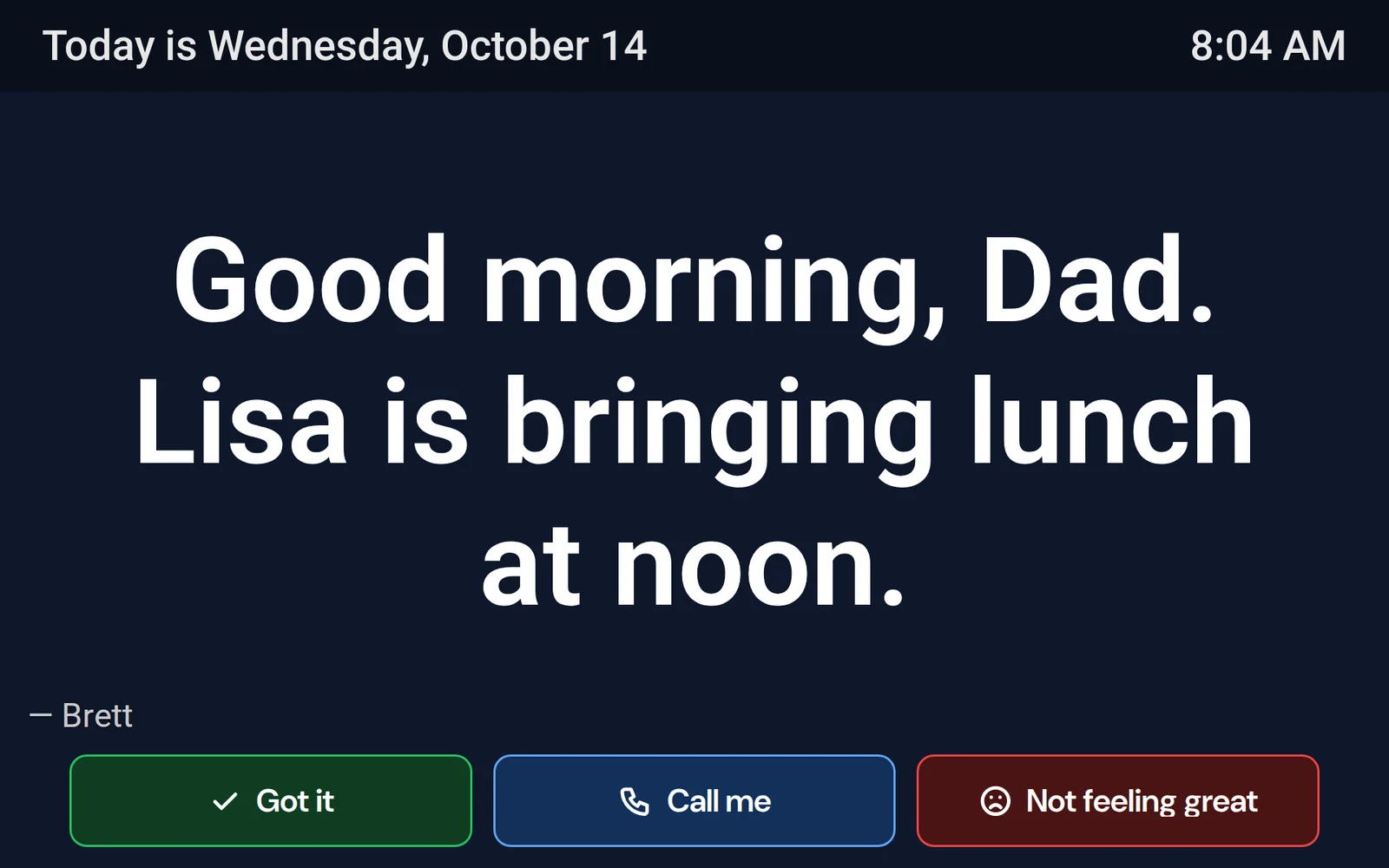
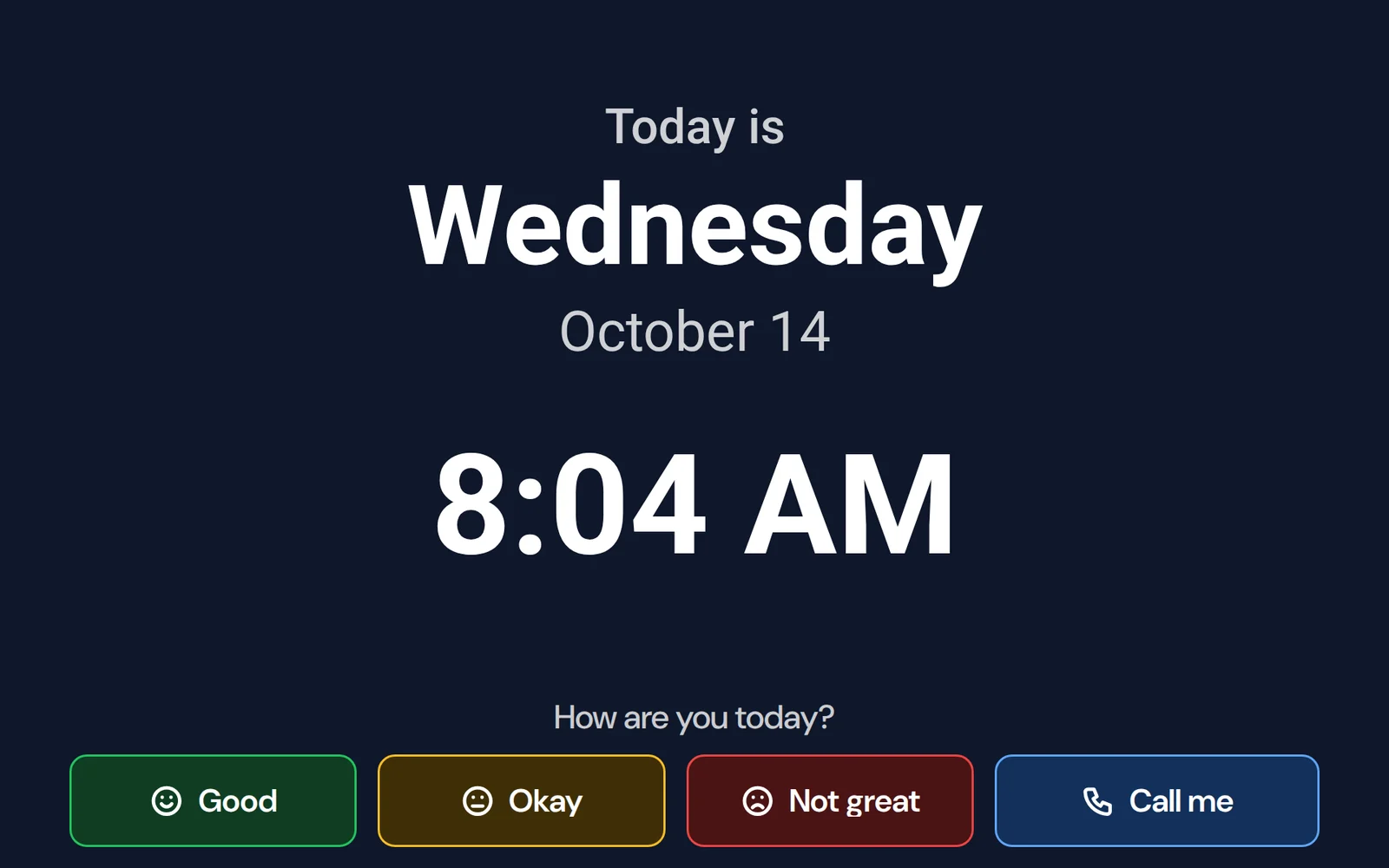
Every message can carry Got it, Love it, or Call me, and each morning the board asks how they're feeling. You see every answer in the app. A red “Not great” reaches you right away.
Add ParentCareHQ and the board runs the day.
Appointments post themselves the day before. Medications show up at the right time with an “I took these” button. Missed one? You hear about it.
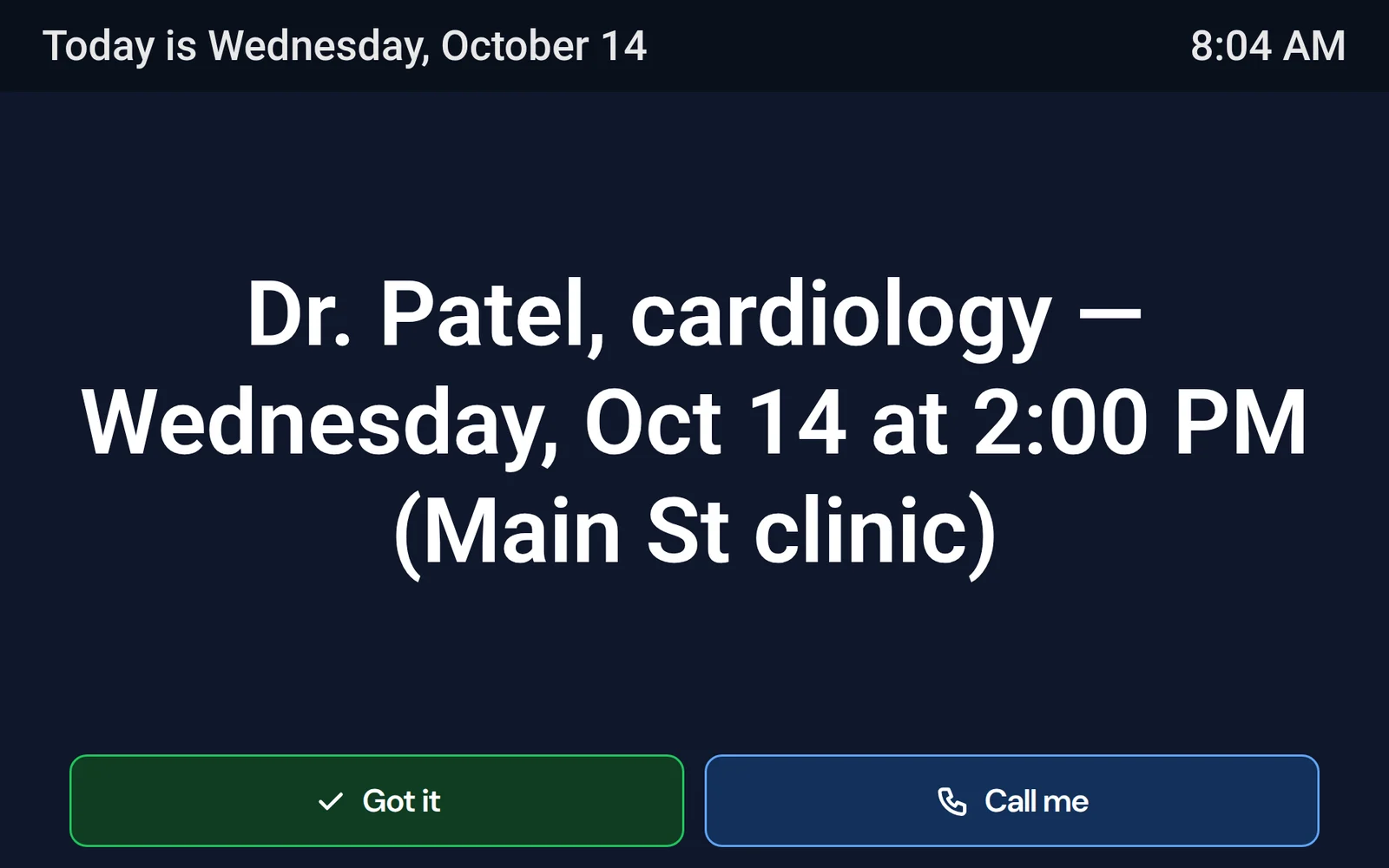
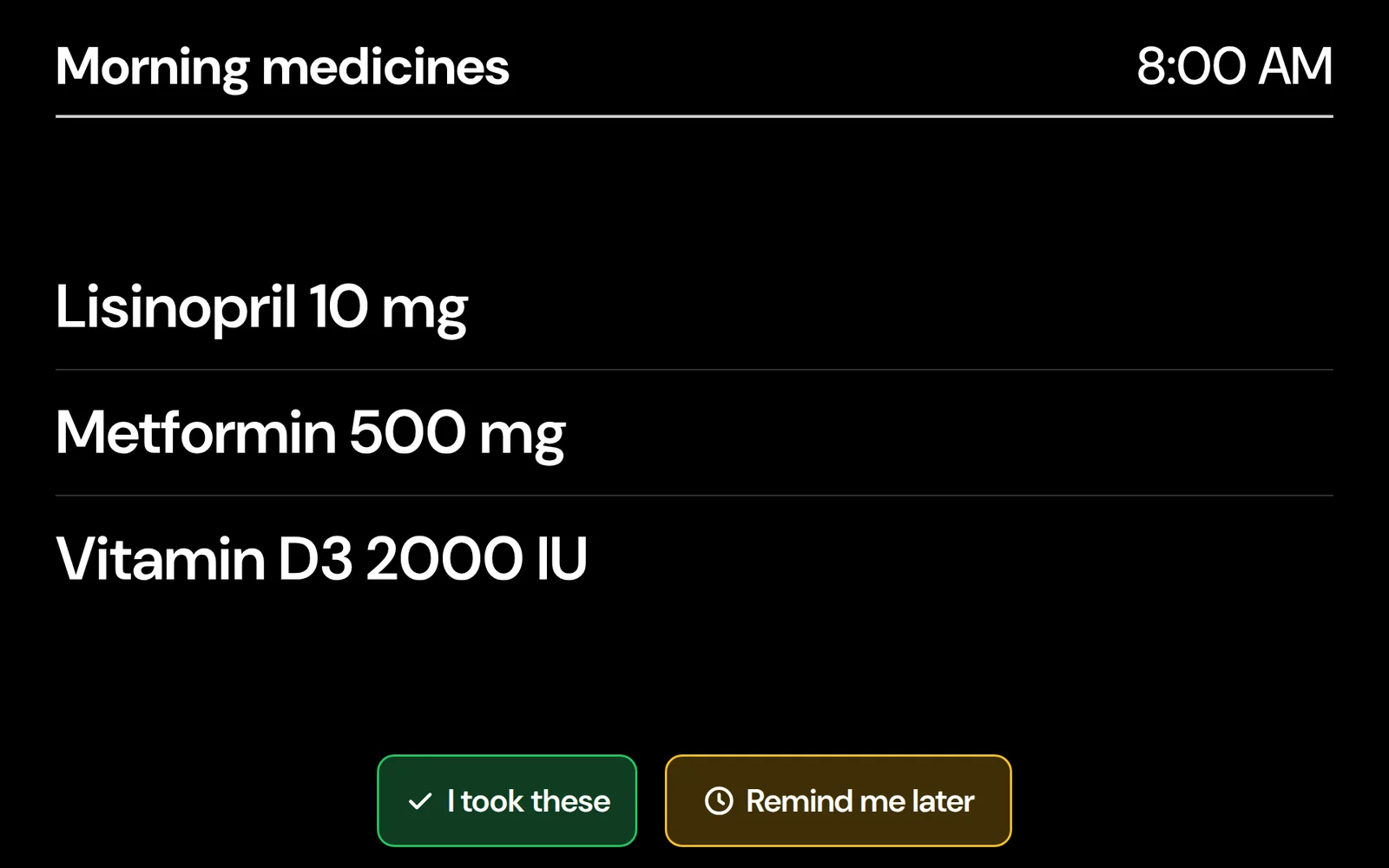
What your parent sees
One thing at a time, big enough to read from across the room.
Set up in five minutes.
Plug it in
Set it on the counter or a table and plug it into the wall.
Connect it to Wi-Fi
You, or whoever’s visiting, connect it once. After that it stays connected on its own.
Send from the app
Download ParentCareHQ, pair the board with the code on its screen, and send the first message.
You can do it on a video call with your parent. Already have a board? Start here.
Why I built it
Most of us are supporting a parent from somewhere else — a different town, a different state, a different coast. You call when you can. But a phone call is a moment, and a day is long.
I kept wishing there were a way to just be around. Not to check up, not to run through a checklist on the phone — just to leave a note on the kitchen counter the way you would if you lived down the street. “Good morning.” “Maya says hi.” “Dr. Patel tomorrow at 2.”
That's CareBoard. It's not another gadget your parent has to learn. It's a little bit of your presence, sitting on the counter, all day long.
— Brett, founder of ParentCareHQ
The first run.
First run ships mid-November.
Your card is saved at checkout and charged only when your CareBoard ships. Free shipping in the contiguous US. 30-day returns.
Questions first? in the bottom-right corner. A human answers.
Questions, answered.
Do I need a subscription?
No. Everything on the board works without one: messages and photos, the daily check-in, replies and Call me, the clock, night mode, and reminders you type yourself. Two features come from the ParentCareHQ plan because they’re built from records you keep in the app: medication reminders and appointments that post themselves. Every new account includes 14 days of the plan so you can try them. After that it’s $9.99/month or $99/year, and only if you want those two.
What does my parent have to do?
Nothing. No account, no password, no app. The board turns on, shows what you send, and offers one-tap buttons when there’s something to answer.
When am I charged?
Your card is saved at checkout and charged only when your CareBoard ships. The first run ships mid-November; we’ll email you before it does. If the date moves, you’ll hear from us before the original date, and you can cancel with one reply.
Where do you ship, and what does it cost?
Shipping is free to the 48 contiguous states and DC. Alaska and Hawaii are $49. We don’t ship to US territories or outside the US yet.
Can I return it?
Yes. Return it within 30 days of delivery for a full refund. We send a free return label within the contiguous US.
What if my parent lives in assisted living?
CareBoard needs a Wi-Fi network it can join. Most assisted-living Wi-Fi works; networks that make you sign in on a web page sometimes don’t. Use the chat in the bottom-right corner before ordering and I’ll help you check.
Who can send to the board?
Anyone you invite to your parent’s care team in ParentCareHQ. Family members join free, and each person only sees what you allow.
What does “first run” mean?
We’re building CareBoard in small batches. The first run ships mid-November. Once it’s fully reserved, the button changes to pre-order the next run, which ships in December.
What do I need to set it up?
A wall outlet, the Wi-Fi password, and the ParentCareHQ app on your phone (iPhone, Android, or the web). Setup takes about five minutes, and you can do it on a video call with your parent.
Specs
- 15.6-inch 1080p touchscreen, white frame
- Wi-Fi
- Plugs into a wall outlet