When the call comes, you'll have the answers.
The medications, the doctors, the documents, the bills. Everything about your parent’s life, in one place your whole family can reach. Start with the one thing you’d need at the ER. It takes five minutes.
Free for 14 days. No credit card required.


Sooner or later, it all lands on you.
Far away
You’re in another city. The nurse is asking what he takes.
The phone rings
Blood thinner dose. Cardiologist’s name. Where the POA is. From a hallway.
Siblings
One family member has half of it. Another has the other half. Nobody has all of it.
Five minutes today. Ready for the call.
Add your parent
Name, date of birth, the pharmacy.
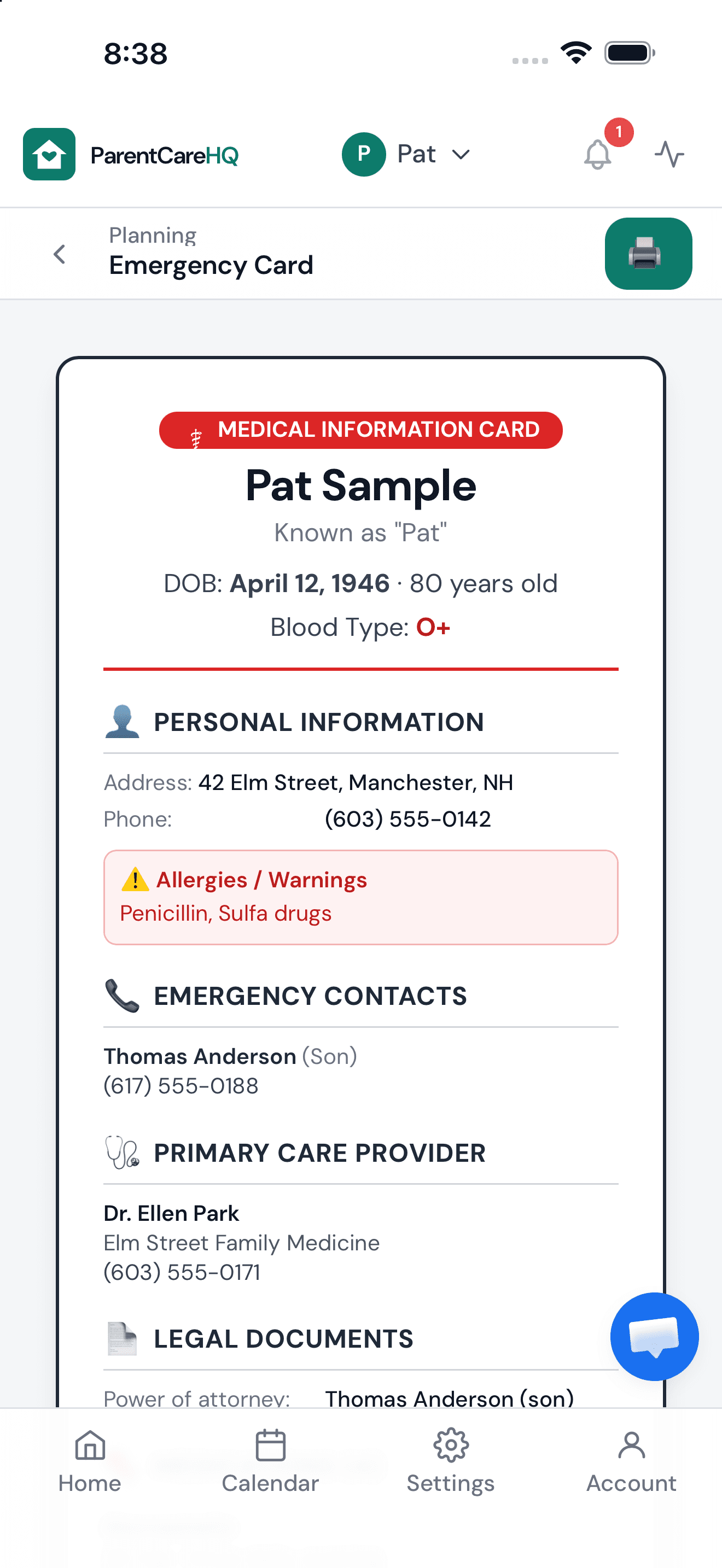
Build the emergency card
Medications, allergies, doctors, who holds the POA.
Invite one person
A family member, a spouse, the neighbor with the key. They join free.
That's a family that's ready.Everything else can wait until next week.
Then, everything else.
Four things families use every week. Twenty more when you need them.
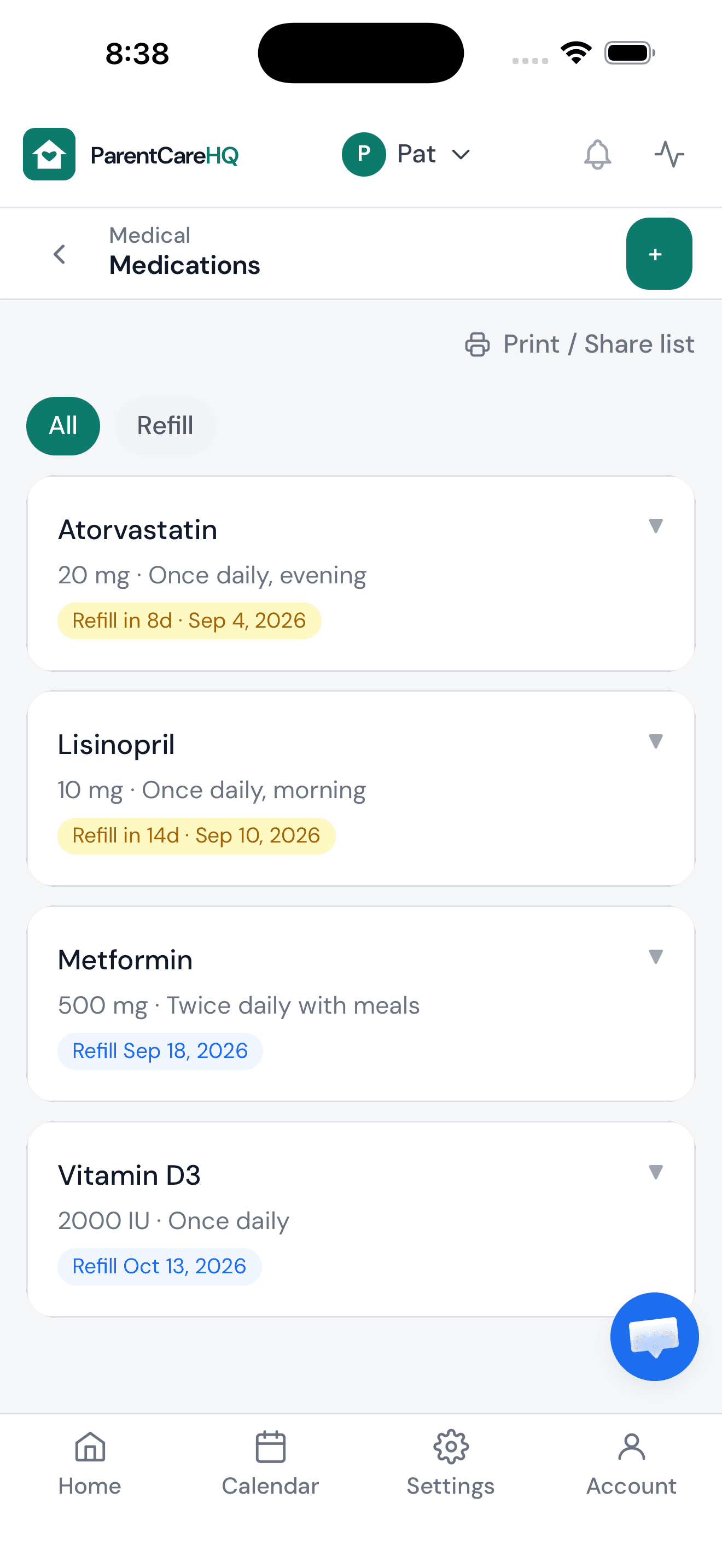
Medications
Dose, prescriber, refills, and a printable list for the appointment. Refill reminders go to the care team, by email, push, or both. With CareBoard, your parent sees the dose on the counter and taps when it’s taken.
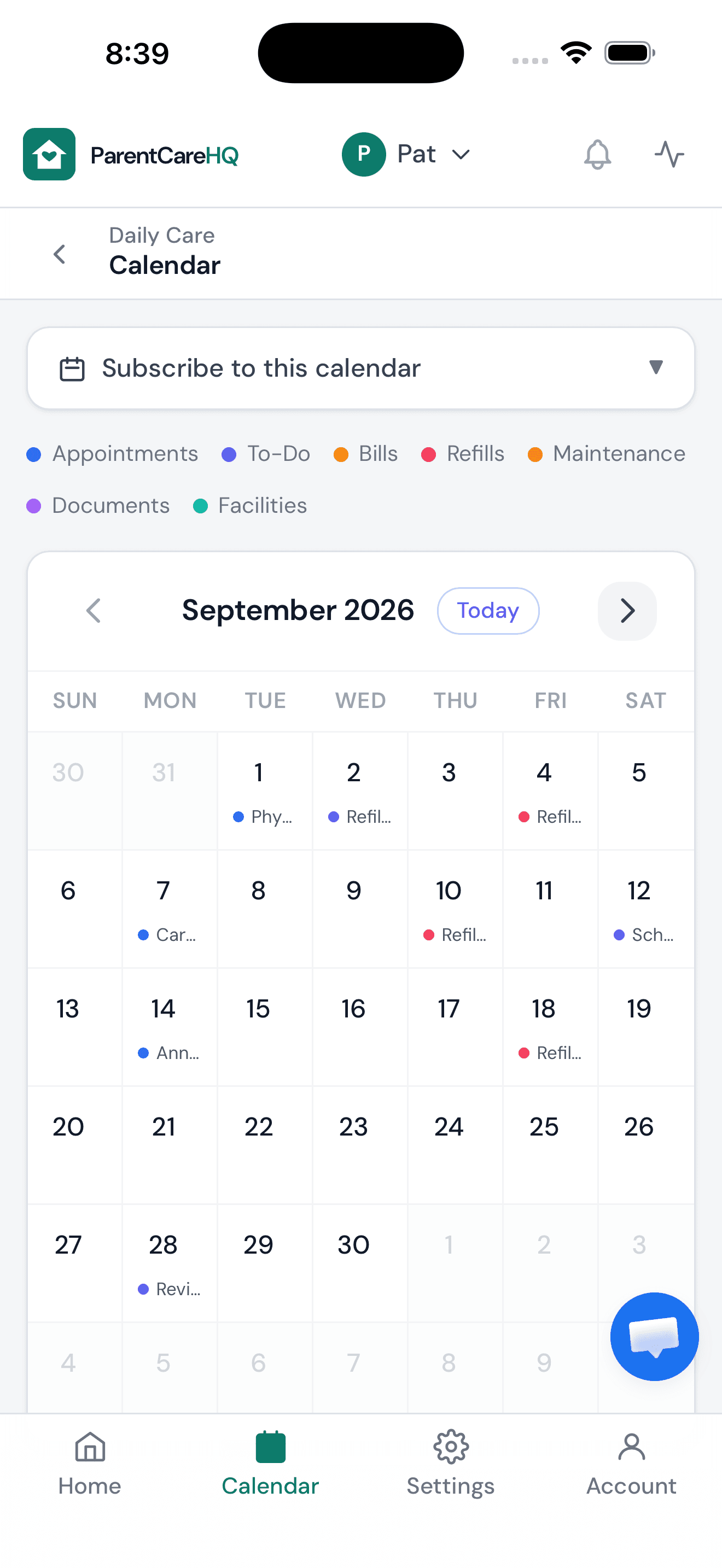
Calendar and appointments
Synced to Google and Apple. Everyone on the care team sees the same Tuesday, and with CareBoard, so does your parent, the day before.
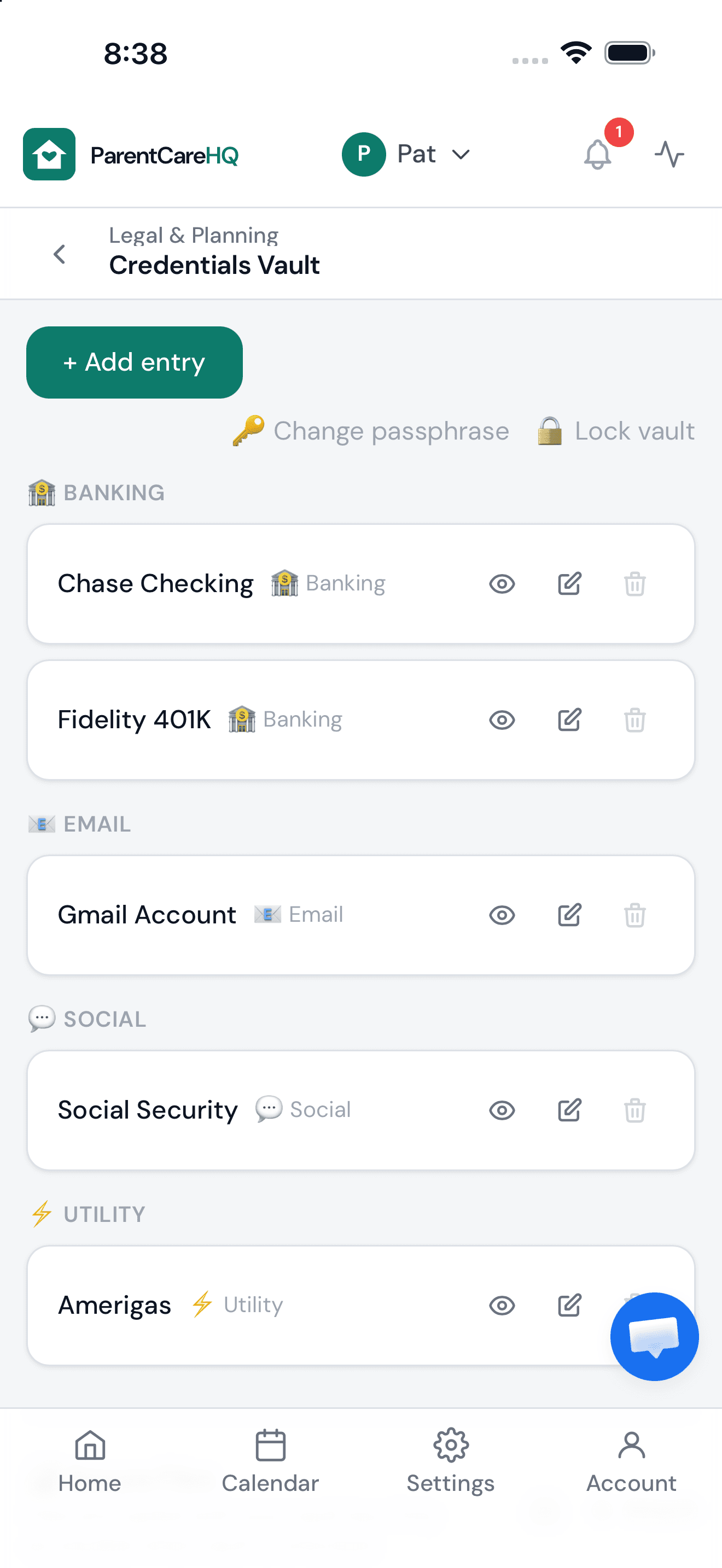
Legal and financial
The POA checklist, documents, bills, accounts, and an encrypted vault for the things that don’t belong in a group text.
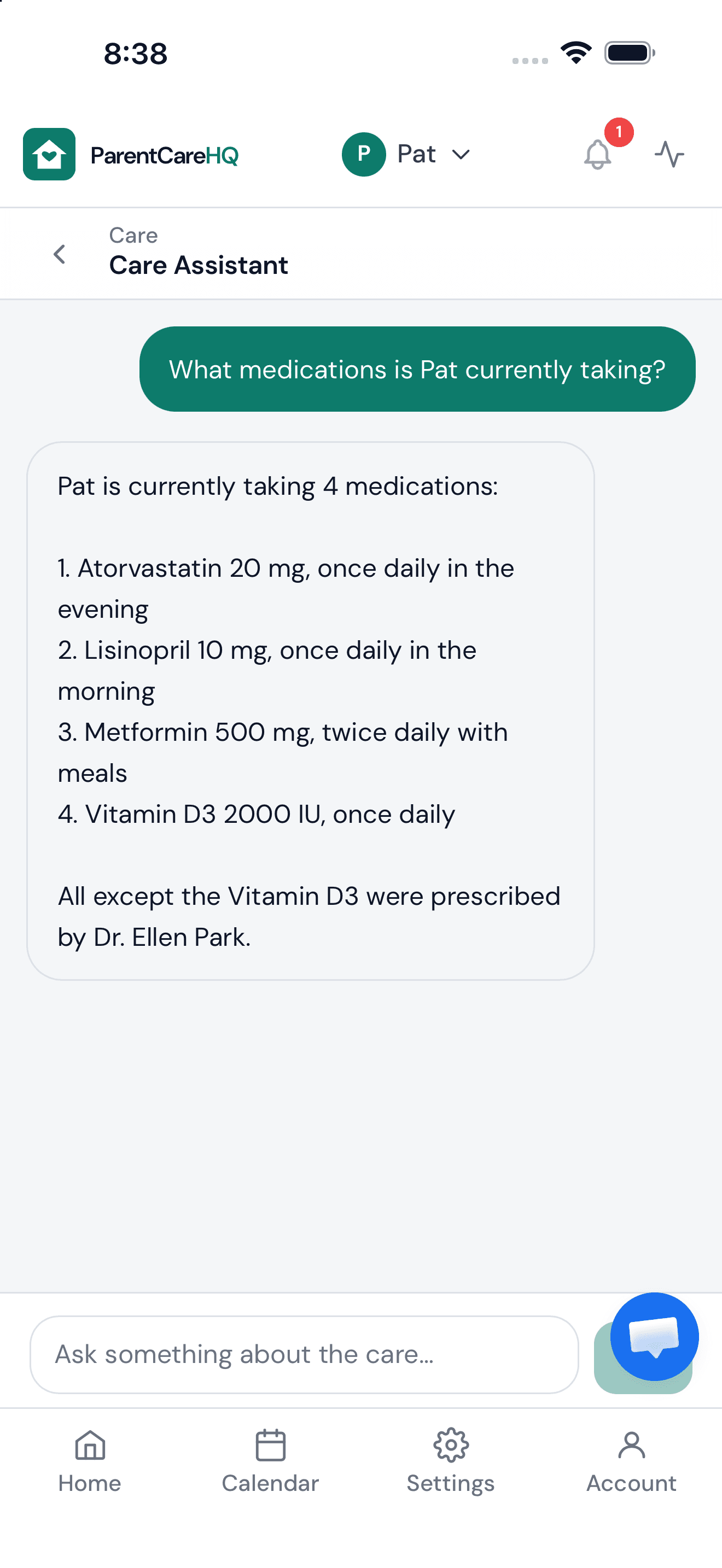
Ask the assistant
Ask it like you’d ask family. It answers from your parent’s actual records, not the internet.
Daily Care 7 modules
Legal & Planning 6 modules
Financial 3 modules
Home & Property 4 modules
Plus the AI care assistant, a shared activity log, role-based permissions, and data export.
The app is for you. CareBoard is for them.
Be in the kitchen when you can't be. CareBoard is a 15-inch screen for your parent's counter. Send a message or a photo from the app and it just appears. They tap one button to answer. No phone, no login, nothing for them to learn.
- No subscription required. Messages, photos, the daily check-in and Call me are free with every board.
- With the ParentCareHQ plan, the medications and appointments you keep in the app post to the board on their own.
$299shipping included
Charged only when it ships. 30-day returns.
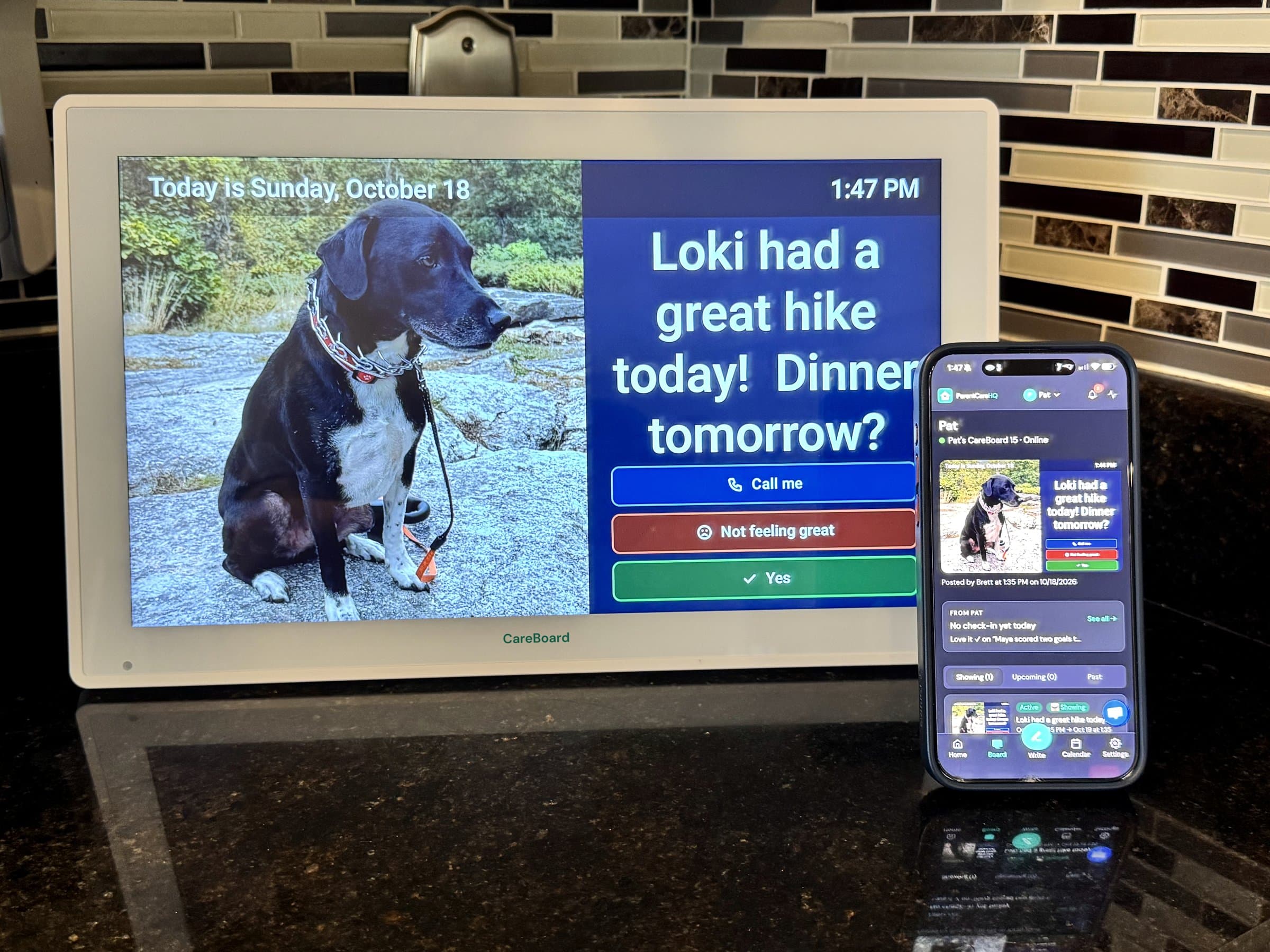
Sent from the app, showing on the counter.

I was 600 miles away when my dad fell. The hospital asked what he was taking, and I didn't know. We had the information; it was in four places. ParentCareHQ is the place I wish we'd had. It's built by one person who's doing this too, and I read every email.
Brett, founder
One plan. Family joins free.
$9.99/month
or $99/year
- Every module, every care profile
- Unlimited family members, with roles
- Medication reminders and appointments on CareBoard
- Cancel anytime and export your data
Free for 14 days. No credit card required. Details
CareBoard itself needs no subscription. What's free
Questions, answered.
Do I need a credit card to start?
No. Sign up with your email and you have full access for 14 days. You only add a card if you decide to keep going.
What happens when the trial ends?
You aren’t charged. A connected CareBoard keeps working free. The rest of your account locks, and everything you entered is kept for 30 days, so if you come back within that window it’s all still there.
Do I need a subscription for CareBoard?
No. Messages, photos, the daily check-in, one-tap replies and Call me are free with every board, for as long as you have it. The plan adds two things that come from what you keep in the app: medication reminders and appointments that post to the board on their own. Every board includes 14 days of the plan.
Can my siblings use it?
Yes, and they join free. You choose what each person can see and edit: owner, caregiver, or viewer.
Is it on my phone?
Yes. iPhone, Android, and the web. The same account everywhere, so the person at the appointment and the person at work see the same thing.
How private is this?
Everything is encrypted in transit and at rest. The vault goes further: it’s encrypted on your device with a passphrase only you know, so we can’t read it.
More in the full FAQ.
When the call comes, you'll have the answers.
Start free trial →Free for 14 days. No credit card required.